01 Stage and lighting CAD
Design the rig before you hang it.
Draw the plan, see it in 3D, check the power and print the paperwork. All in your browser.
No install · Opens the demo theatre · Your drawings stay yours
02 What it does
One drawing, plan and 3D, kept in step.
A Plan and 3D
Draw it flat, check it in the room.
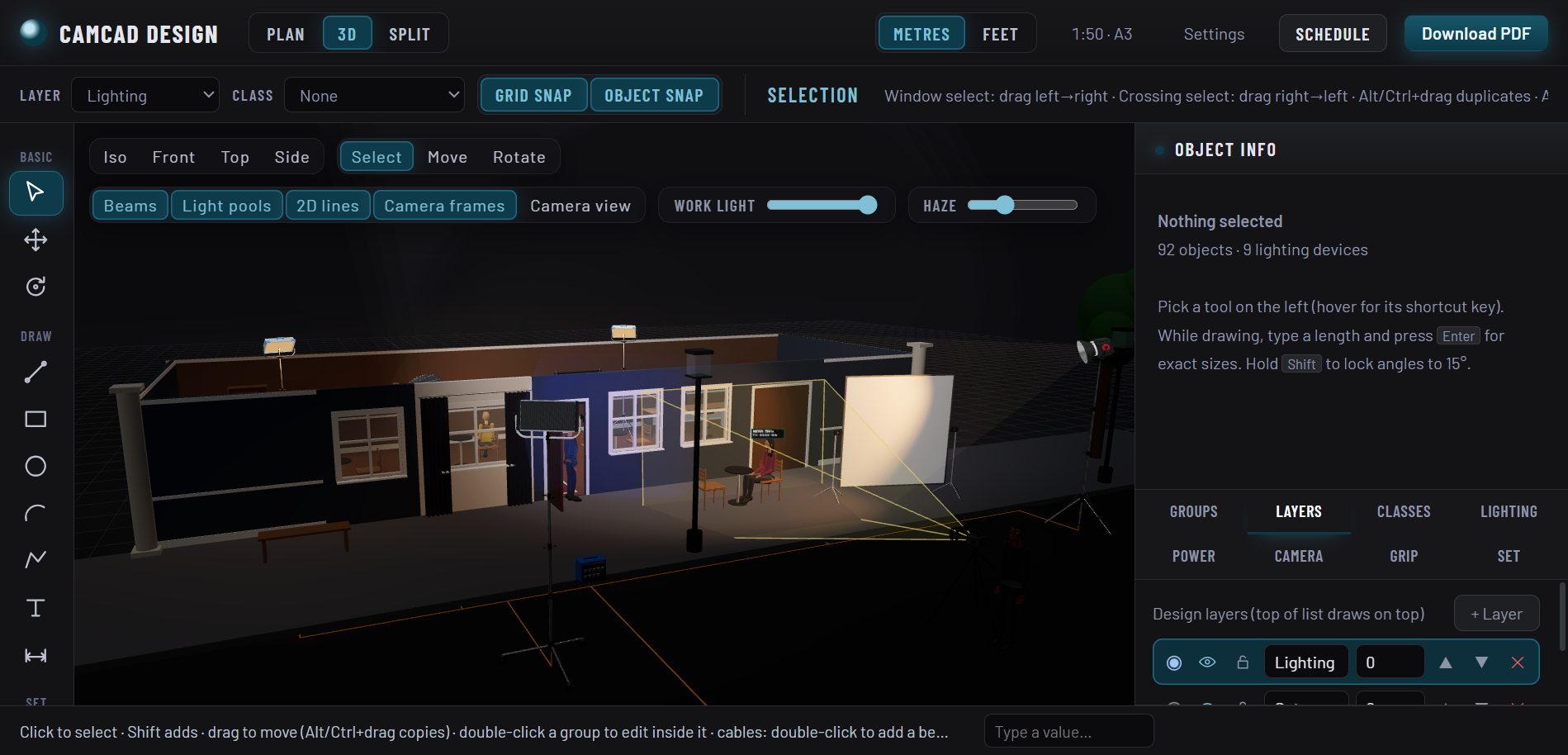
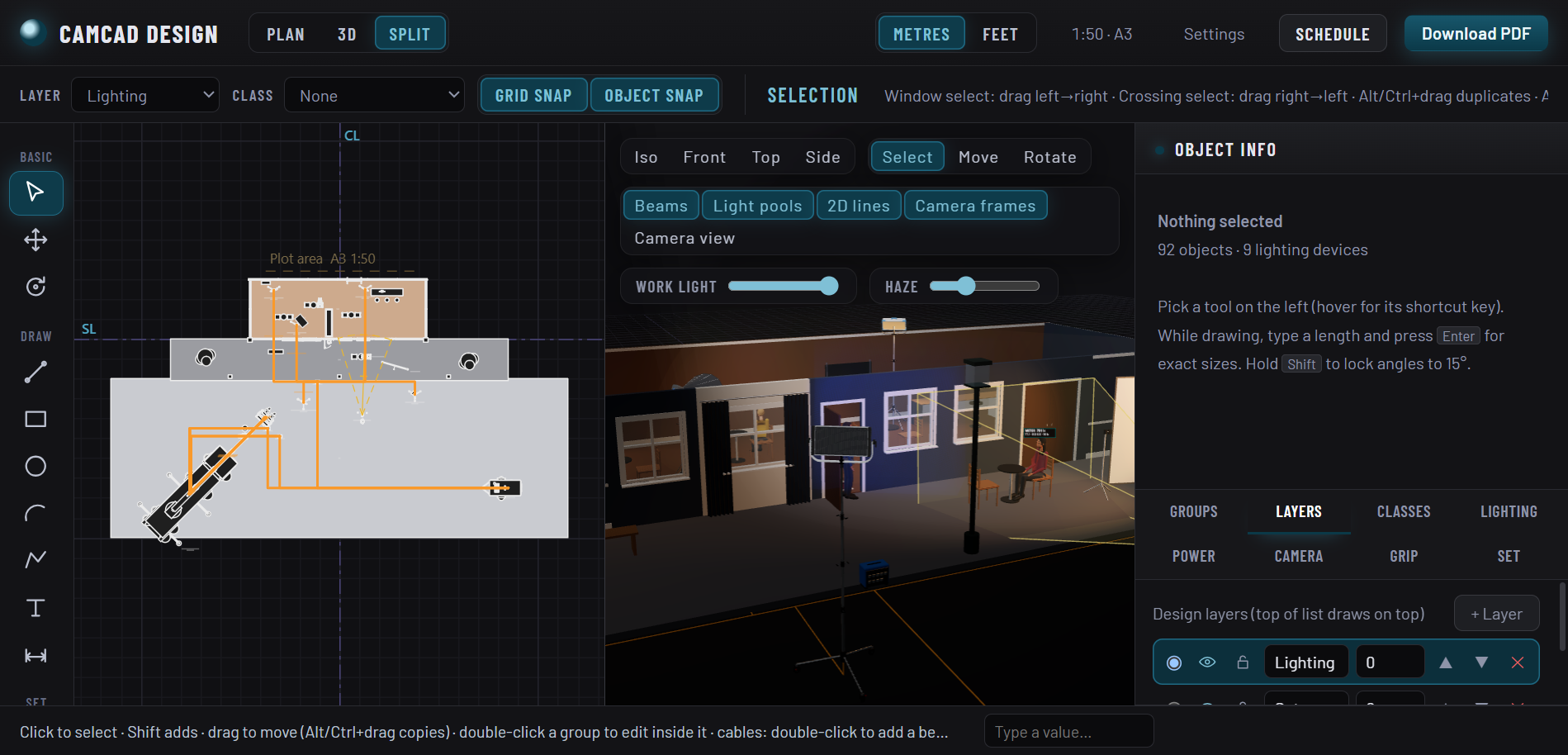
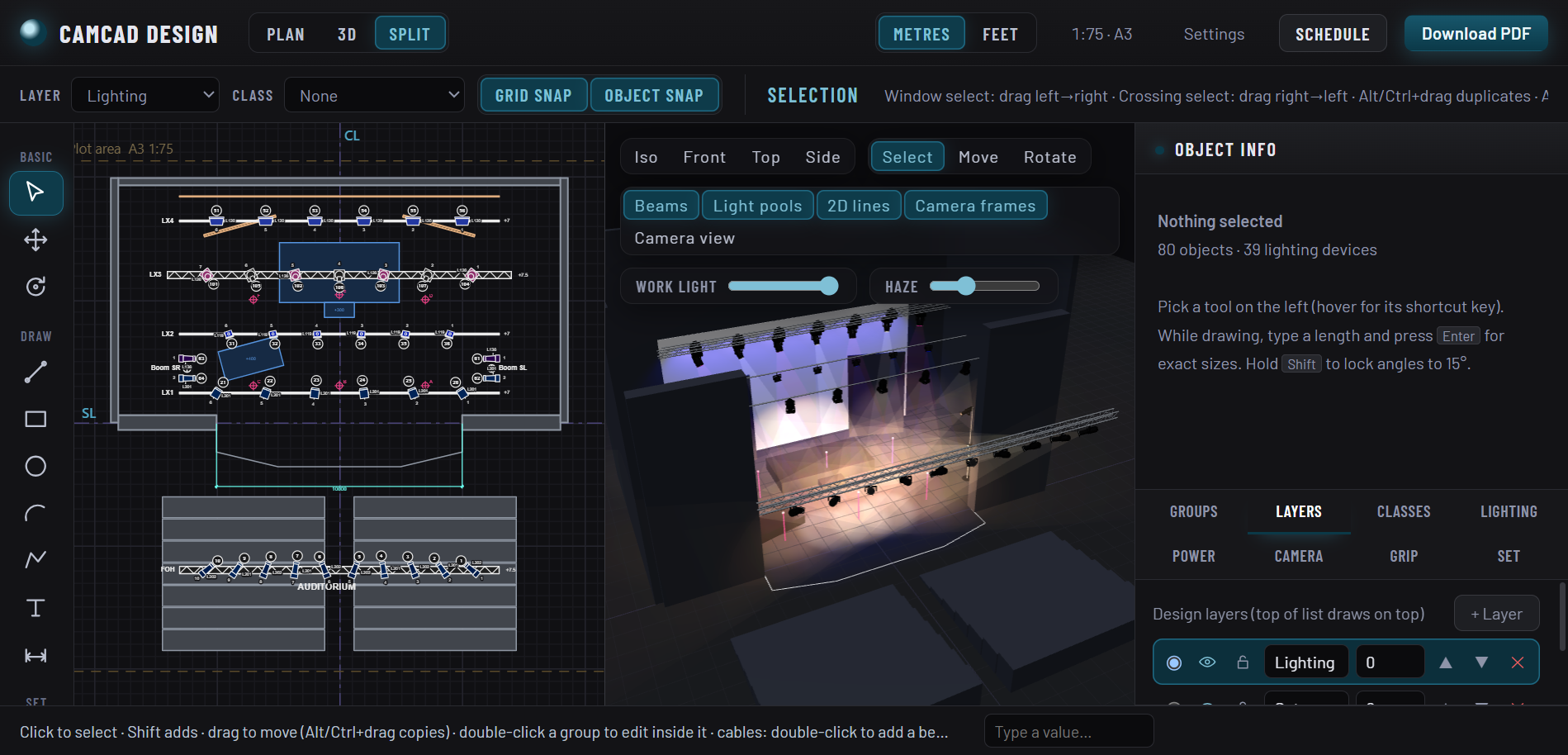
A drafting plan with layers, classes and snaps, linked to a lit 3D view. Move a fixture in one and it moves in the other.
B Real light
Beams that carry real output.
Fixtures use published lux and candela, with colour temperature, tint and RGB, and a light meter to read the result on the floor.
C Power
Know it will run.
Generators, distros, cable runs with heights, wall power and battery stations, with a load check on the way.
D Paperwork
Plots and schedules out.
PDF plot, fixture schedule, DXF import for the venue plan and MVR export for other tools.
03 In the app
The plot you hand over, and the room it describes.
04 Libraries
Kit.
Researched specs for the gear people actually bring. Anything we could not verify is flagged in the app, so you know what to double check.
05 How it works
Three steps from blank stage to plot.
1 Start
Open the demo theatre or a blank stage.
Or import your venue as a DXF and draw on top of it.
2 Rig
Place fixtures, aim them, check the power.
Click to place, move the mouse to aim, click to set. The 3D view lights up as you go.
3 Hand over
Save it online and export the plot.
Log in and your drawings are kept in your account, ready to open from any computer.
Open the rig.
Free to try in your browser.
Open CamCad Design